Mobile App
gastos
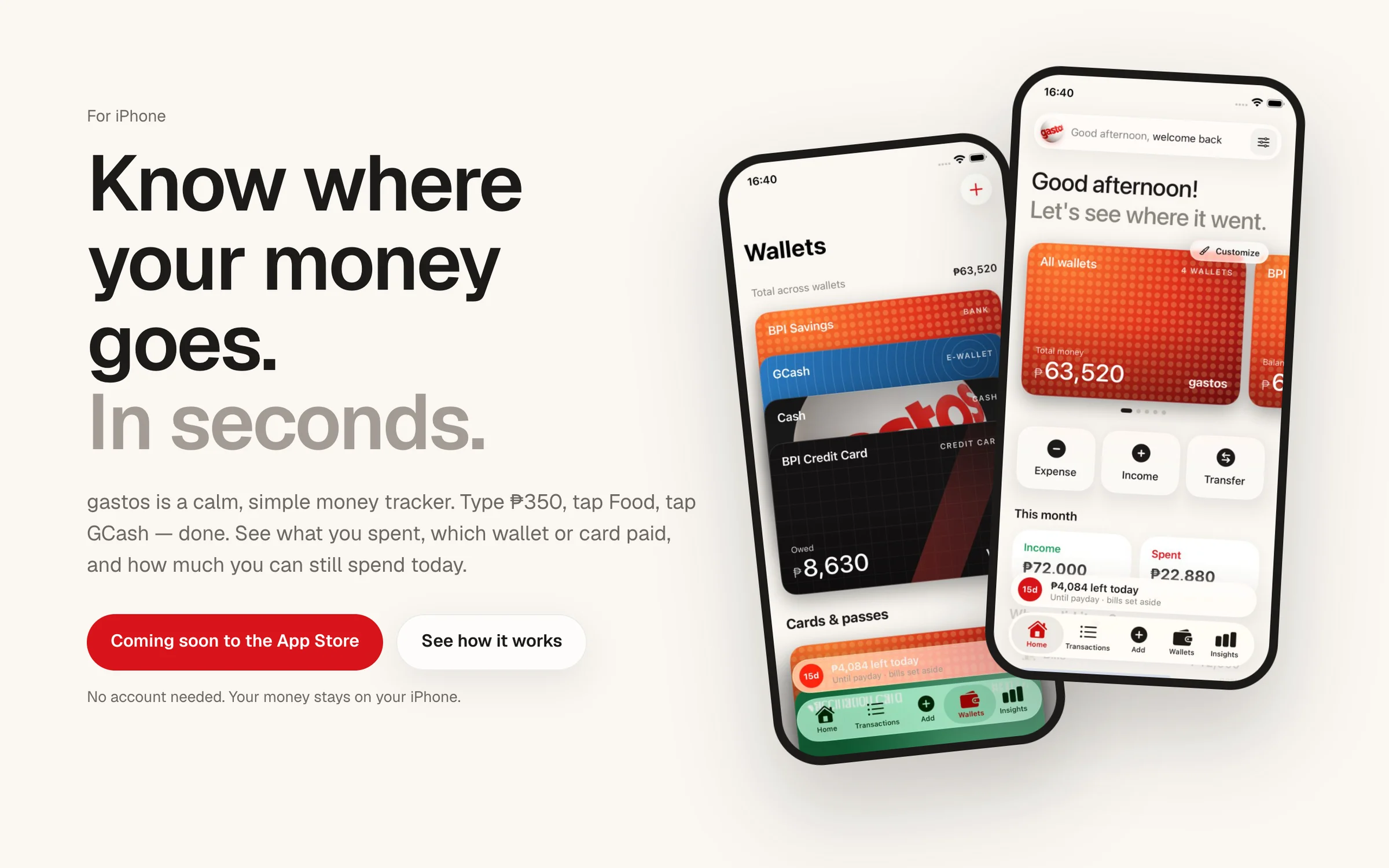
A calm, simple money tracker for iPhone.
- Status
- Coming Soon
- Year
- 2026
- Platform
- iOS
 Coming Soon
Overview
A native iOS money tracker built around three questions: how much, what was it for, and which wallet paid. Add an expense in seconds, see where your money went, and know how much you can still spend today. Everything stays on your iPhone, with optional sync through Sign in with Apple.
- Problem
- Most money apps want your bank login, an account, and an accounting degree, when all you want to know is where your money went.
- Solution
- A local-first SwiftUI app where every entry answers how much, what for, and which wallet. A tested finance engine handles wallets, credit cards, transfers, and recurring bills, a home-screen widget shows what’s safe to spend, and Supabase sync is optional.
- My Role
- Concept, product design, and development.
Features
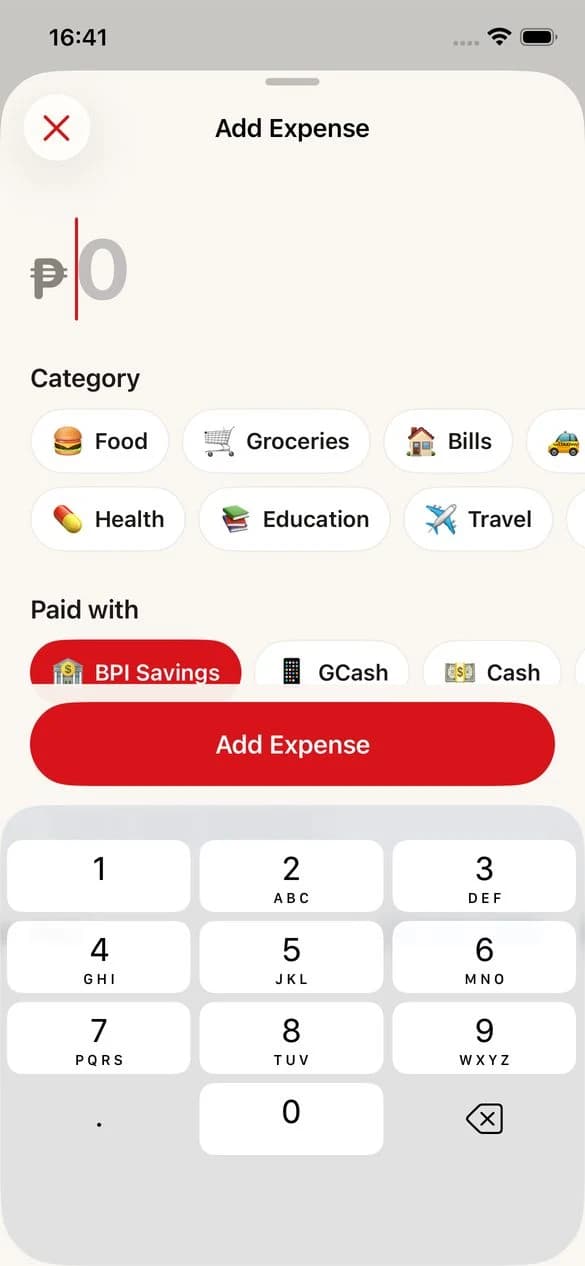
Add in seconds
The amount is ready to type the moment you tap +. Pick a category and a wallet, and you’re done.
Where did it go?
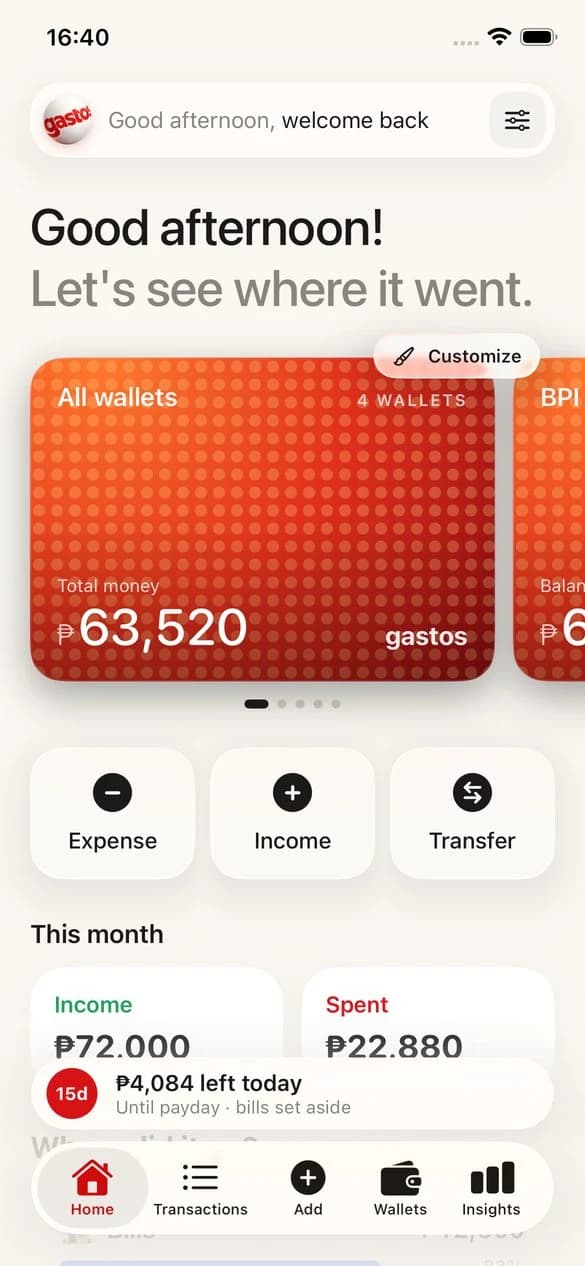
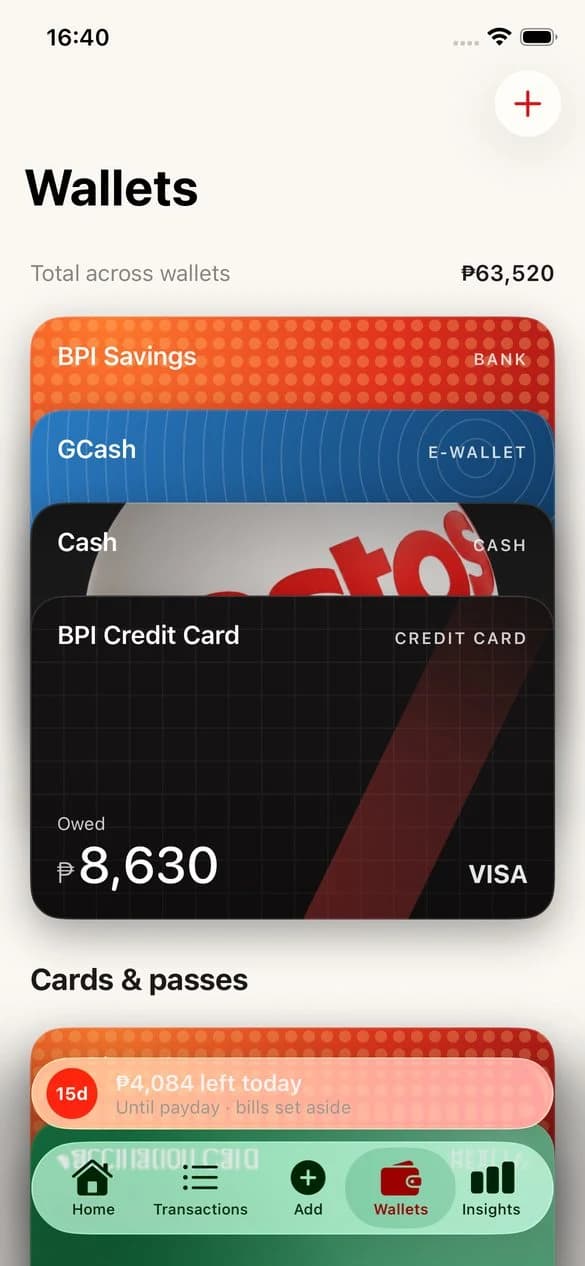
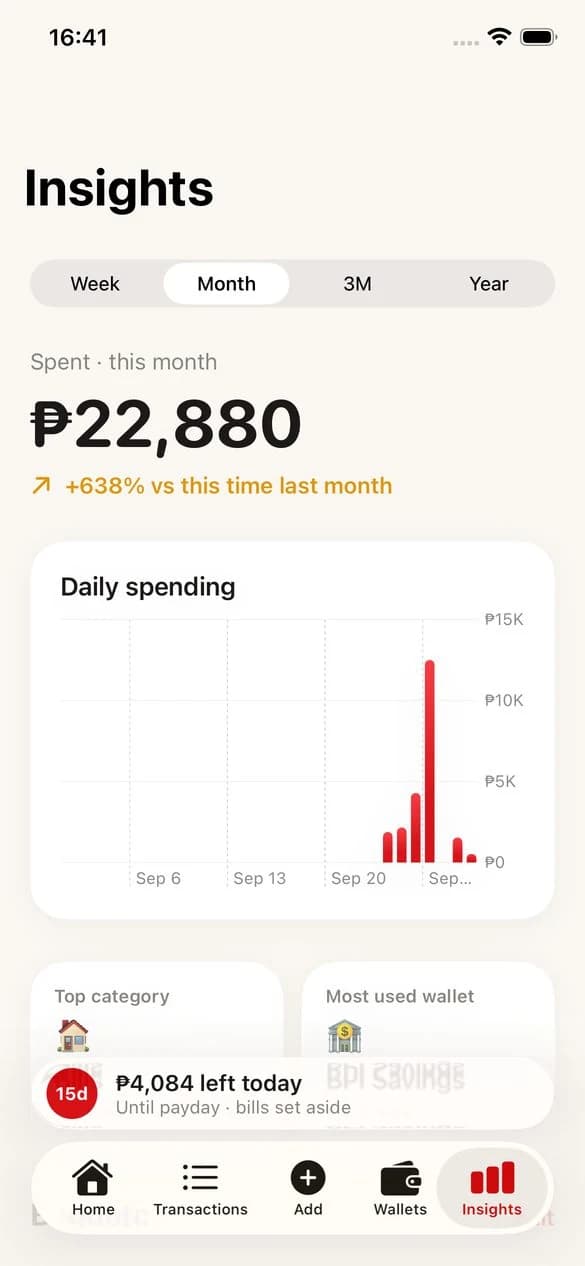
Spending by category, and which wallet or card paid for it.
Credit cards, done right
A card purchase counts as spending, and paying the card is a transfer, so nothing is counted twice.
Safe to spend today
Your money minus upcoming bills, spread over the days until payday.
Bills and salary on autopilot
Rent, subscriptions, and payday are added on their date and show up in Coming Up.
Private by default
Works fully without an account, with Face ID lock and no ads, trackers, or analytics.
Screens
Built With
- Swift
- SwiftUI
- SwiftData
- Swift Charts
- WidgetKit
- Supabase





Start a Project
Have an idea?
Tell me what you’re thinking. Let’s turn it into something real.